
ONVERIS / CHAT
A private AI chat for business
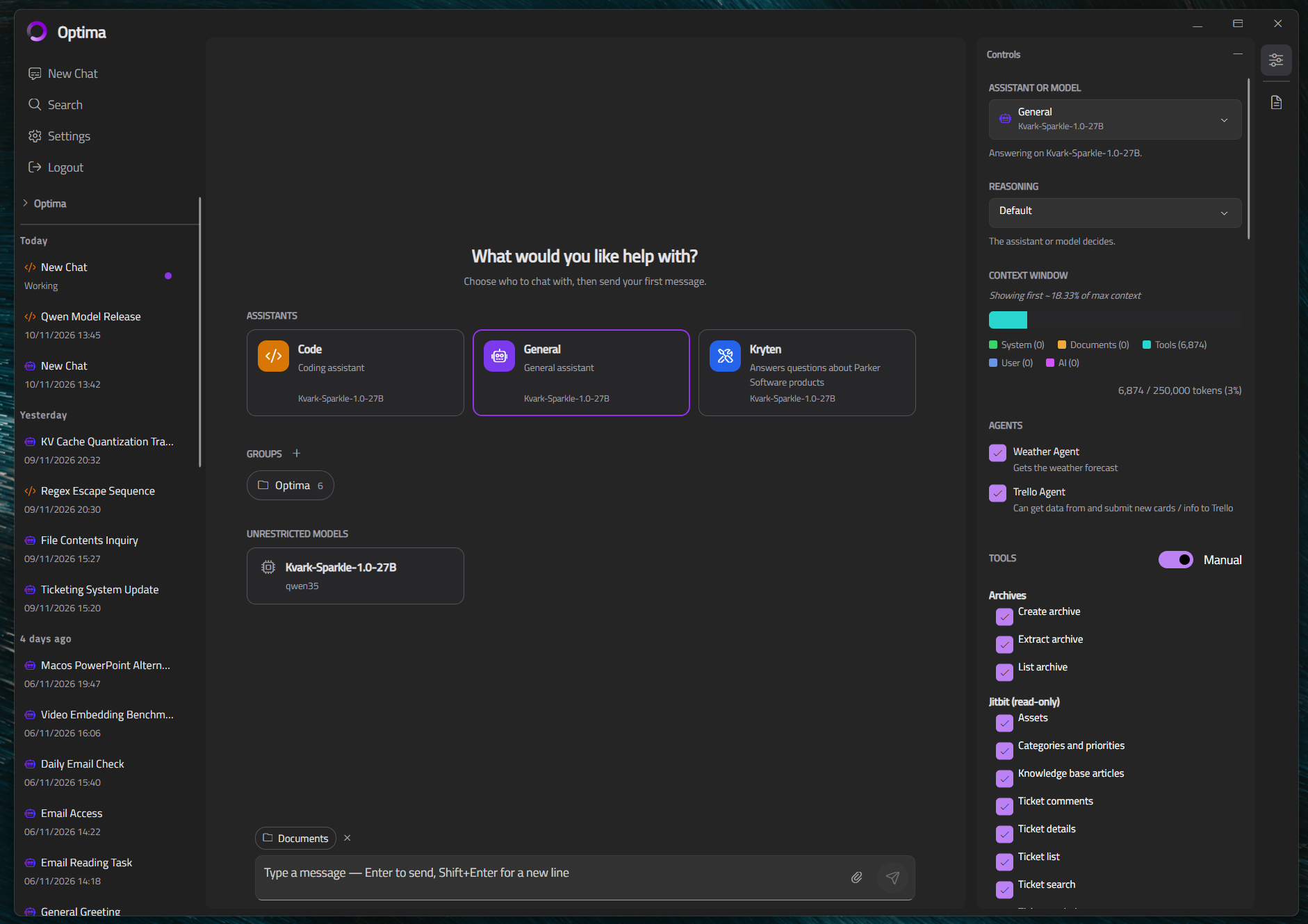
A familiar way to use AI for everyday work - drafting, summarising, answering questions - with the models running on infrastructure you control. Your IT team decides which models, assistants and tools are available, and staff work within the lines you set.
CHAT / 01
Everyday AI, without the ceremony
Draft, summarise, brainstorm, or work through a task. People can use OnVeris from a web browser or the desktop app, with access to whatever models the organisation has made available.
Use OnVeris Chat in a browser, on Windows, Mac or Linux, and on mobile with iPhone, iPad and Android. Your team can work from the platform that suits them.
CONTEXT IN THE CONVERSATION
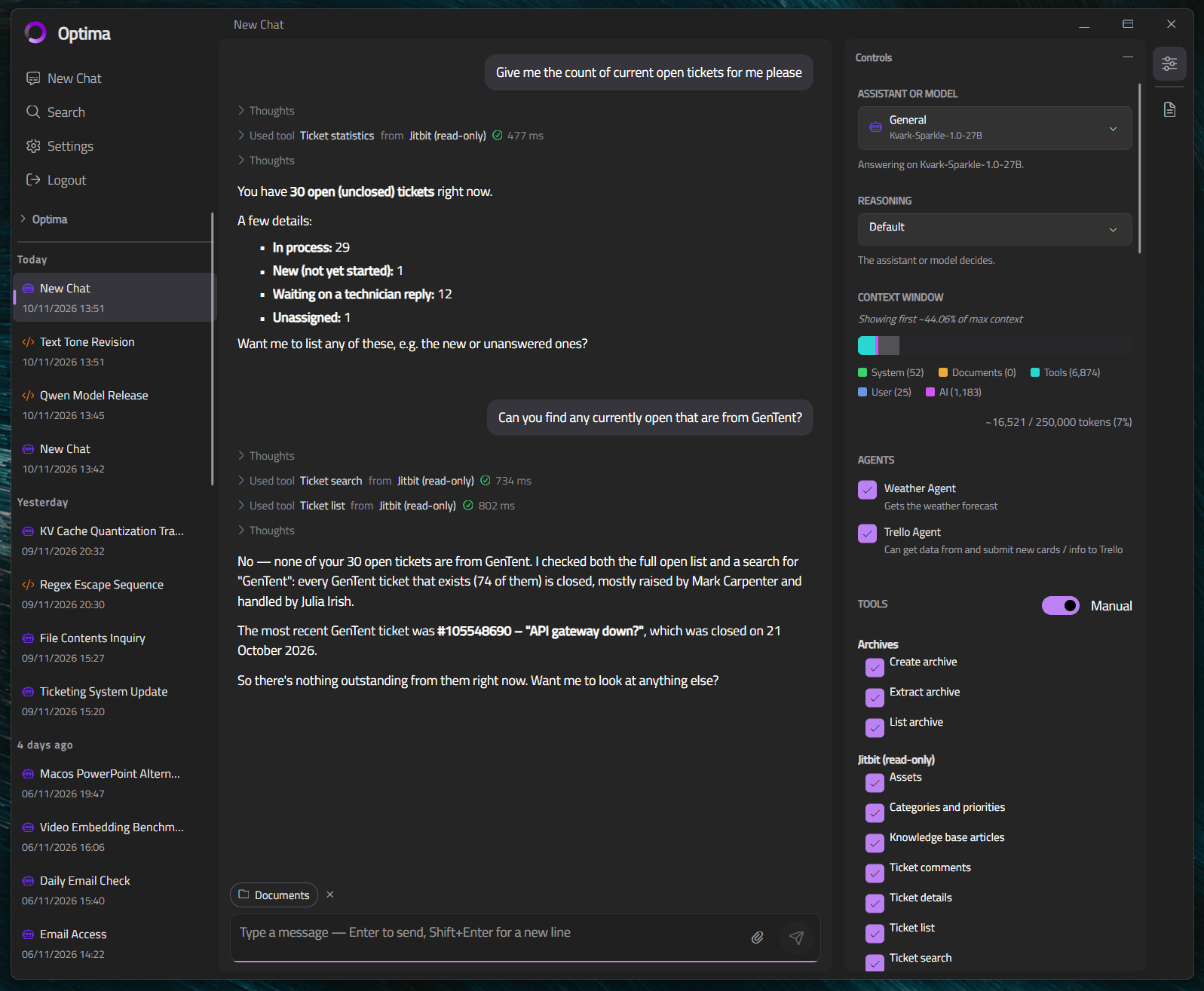
Work with an assistant: See the tools it uses
This example shows an assistant using a read-only helpdesk connector to answer questions about tickets.
CHAT / 02
Use approved models
Choose the models that fit your requirements and run them on infrastructure you manage. Only those models are available to your team.
CHAT / 03
Bring files into the conversation
When enabled for an assistant, users can attach documents or images and ask questions about them right in chat.
CHAT / 04
Give conversations context
For work that needs specific instructions, company knowledge or access to connected systems, staff can pick an assistant configured for the task - each with its own instructions, knowledge sources and approved tools.
CHAT / 05
Access under your control
Admins manage who can use each assistant and which tools it can reach. Selected tools can also be set to ask the user before they run.
CHAT / 06
Chat inside your environment
Deploy OnVeris on-premises or in a private cloud you control, and run locally hosted models. Prompts and responses stay within your organisation's environment - they're not sent to a third-party AI API for inference.
No per-token API fees for locally hosted model use.
CHAT / 07
One workspace, more to explore
Chat is one part of OnVeris. Search finds information across approved sources, Assistants handle defined tasks, and Connectors link the systems your organisation chooses.
CHAT / 08
Put private AI chat to work
See how OnVeris could fit your infrastructure, models and access requirements.